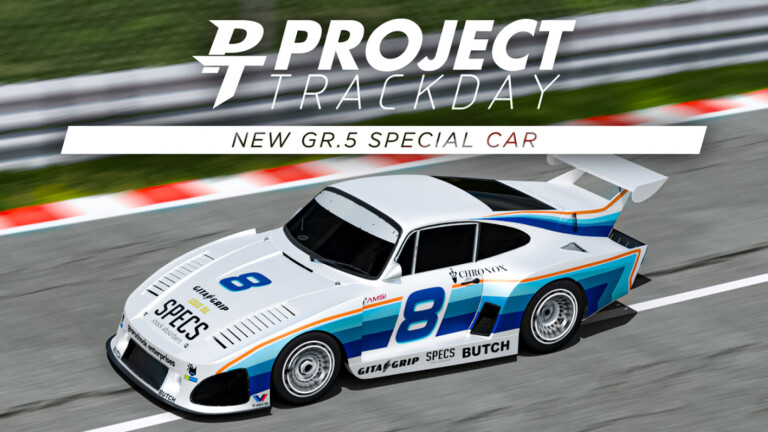
Project Trackday is an immersive racing simulation experience within the Roblox platform. This game gives motorsport enthusiasts the chance to experience the thrill of high-speed racing on famous real-world circuits, all with an impressive level of realism. With meticulously detailed cars and advanced physics, players can test their skills both alone and by competing against others, ensuring hours of fun and endless challenges.
How to Play: Instructions and Controls of Project Trackday
To start your adventure in Project Trackday, first choose one of the various high-performance cars available. Each vehicle is carefully tuned to provide a specific driving experience. Once on the track, familiarize yourself with the game controls, which include the need to manage the manual transmission with a clutch, if desired.
Steps to Start
- Car Selection: Browse through the options and select the car that best suits your driving style.
- Race Configuration: Decide whether you prefer a free practice session or a structured racing mode.
- Domain of Controls: Use the WASD keys for direction and adjust the camera for the best possible view.
Detailed Controls
- Accelerate/Brake: W/S
- Turn Left/Right: A/D
- Gear Shift: Use the E/Q keys to shift up or down gears.
- Clutch: SHIFT key for a more realistic gear shift.
How to Get Free Items and Codes in Project Trackday
Although Project Trackday does not offer a large number of free items or promotional codes, the developers occasionally release small rewards for players. Staying alert to game updates on social media can be a good way to not miss opportunities to obtain exclusive items.
- Until the last update, there are no known codes available for this game. It is recommended to follow the official community for news.
Valuable Tips for Better Performance in Project Trackday
Before starting a real race, spend some time practicing in one of the free practice modes. This will allow you to adjust to the dynamics of the car and familiarize yourself with the curves and straights of the different circuits. Even I, who consider myself experienced in racing games, have made silly mistakes by underestimating the realism of the physics offered by this game.
Another important tip is to adjust your control settings according to your driving style. Some players prefer the precision of the steering wheel, while others adapt better to the keyboard. Try different adjustments until you find what works best for you.
Curiosities and Secrets of the Project Trackday
- Realistic Simulation: The game's physics was developed to mirror real racing conditions, which means that factors such as grip and weight transfer are crucial for your performance.
- Feedback da Comunidade: Muitas das atualizações e melhorias são resultado direto do feedback dos jogadores, tornando a experiência mais envolvente e ajustada ao gosto do público.
Main Objectives and Goals in Project Trackday
The heart of Project Trackday is the satisfaction of mastering powerful race cars on challenging circuits. Players are encouraged to beat their own records and compete against the times of other players. This is the central axis that drives speed enthusiasts to keep coming back to the track.
Recommendation of Ideal Settings
Graphics Settings
To ensure a smooth visual experience, it is advisable to adjust the game's graphical settings according to your device's capabilities. Reducing details can significantly increase the frames per second (FPS), which is essential in such precise simulations.
Control Options
If you have access to a steering wheel, this may be the most authentic way to play Project Trackday. However, a good mechanical keyboard with quick response can also work wonders. Many players highlight that investing in good equipment can completely transform your performance.