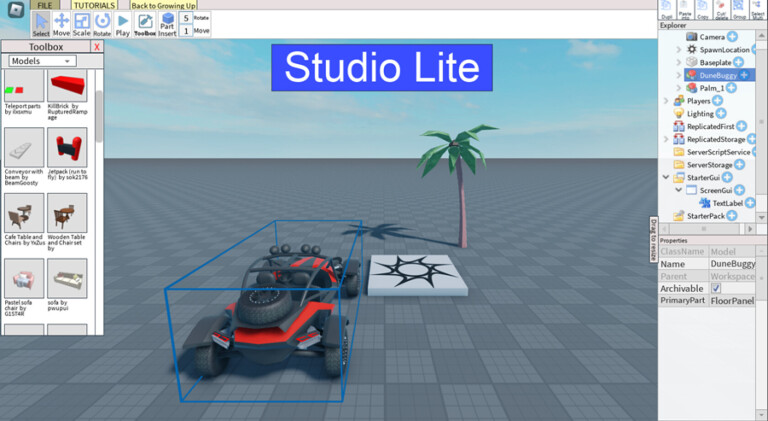
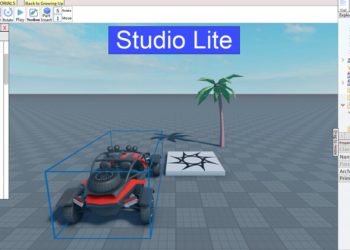
Lite Studio is a fascinating experience within the Roblox platform, where players can unleash their creativity by developing their own games in a simplified and accessible way, especially for mobile devices. Created by ScottSpiritWalker, this experience stands out by providing an educational and fun environment, where building and programming games become intuitive tasks. Lite Studio is ideal for those who want to explore the world of game creation without having to dive deeply into complex programming languages.
How to Play in Studio Lite
When starting your journey in Lite Studio, you will be guided by instructional tutorials that make it easy to understand the building and scripting tools available. Unlike other development environments, simplicity is key here. To get started, just access the experience and follow the tutorials that teach everything from the basics to more advanced scripting techniques.
Controls and Navigation
Inside the Lite Studio, navigation is user-friendly, allowing players to touch and drag objects to build their virtual world. Using the "Save" and "Publish" controls in the File menu is essential to keep your progress and share your creations with the Roblox community.
Tutorials and Resources
The tutorials are divided into sections covering topics such as layout design, basic scripting, and even monetizing your creations through the sale of emotes in the game. Completing a tutorial not only guarantees knowledge but also the chance to advance in classes such as "Growing Up," which can be an interesting achievement within the Roblox universe.
How to Get Free Items and Codes in Lite Studio
One of the advantages of participating in the Estúdio Lite experience is the ability to acquire free items as you progress through tutorials and participate in events. Although Estúdio Lite does not offer its own codes for unlocking benefits, you can benefit from tutorials that help you create items and functionalities for your games at no cost.
- Complete tutorials: Gain additional tools and scripts.
- Participate in events: Get engaged in competitions to win prizes.
- Community contributions: Engage with other creators to exchange experiences and tips.
Tips for Excellence in Lite Studio
Every creator has their own way of working, but some strategies can optimize your time and enhance the quality of your creations. First, make the most of the available tutorials, as they provide a solid foundation for any project. Additionally, joining communities that share your interest in game creation can offer valuable support and new ideas.
Avoid complicating your initial projects. Focus on perfecting a simple concept and gradually add complexity as you gain confidence. A practical tip is to test your game frequently during development. This allows you to fix bugs and adjust gameplay, ensuring a more enjoyable experience for future players.
Curiosities, Secrets, and Goals of Studio Lite
- Ease of publication: After completing the initial steps, it is possible to publish your game directly on your Roblox profile, making your creations available to everyone.
- Lite Collaboration: Although it is not possible to "Participate" in games directly, you can share your project with friends via the File menu, using "Save As".
- Model "Dance Club": One of the features included is the "Dance Club" environment, which already has ready-made scripts to help in the sale of emotes.
Exploring the Potential of the Lite Studio
With each update, Lite Studio brings new possibilities for creative players. Developers are constantly integrating new models and features, allowing users to create increasingly immersive experiences. In addition, an in-game voting system helps to guide future updates based on community feedback, ensuring that creators' opinions are heard and implemented.
Community Comment
Players have expressed their opinions about Studio Lite, highlighting not only its ease of use but also how this experience has served as a gateway to the world of game development. “This is where I started to really understand what it means to create a game from scratch,” commented an engaged user of the platform.
Whether for learning, teaching, or just having fun, Studio Lite offers a space for everyone on Roblox. By following the tips and using the resources provided in this experience, anyone can turn simple ideas into complete games, sharing their creativity with the world.