
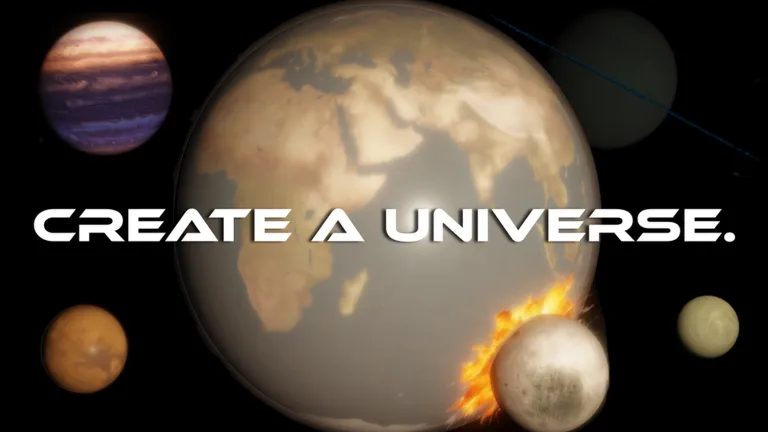
Create A Universe
Create A Universe is a cosmic simulator where every resource becomes material for unlocking asteroids, planets, stars, and larger layers of your own expanding space.
+1
Create A Universe works because it sells a simple fantasy very well: starting small and watching the cosmos grow as a direct consequence of your decisions. Asteroids, planets, stars, and later layers of space are not random decoration. They exist to show that your account moved from a modest starting point into something much larger.
That changes the feel of the simulator. You are not just watching numbers rise. You see the universe gain shape, volume, and presence, and that gives each important unlock much more weight than a loop built only on abstract bonuses.
That is also where the best part of the progression shows up. The fun is not in buying every available improvement, but in choosing the right moment to trigger the next cosmic jump. For players who enjoy simulators with a clear sense of expansion, this one delivers a very readable growth curve where resources and scenery keep moving together.
56.2K
Favorites
8.9K
Upvotes
3.7K
Downvotes
How to play Create A Universe
The loop is all about earning resources, choosing the next unlock, and pushing your universe into a bigger scale. The early game feels much better when you buy with the next layer in mind instead of grabbing whatever upgrade happens to be cheapest.
How to keep progression moving
It helps to notice which purchases truly open new celestial bodies and which ones only inflate numbers for the short term. When the game gives you several similar options, the best move is usually the one that changes the size of the jump, because that is what accelerates both your map growth and account growth at the same time.
Codes & Tips of Create A Universe
Even without leaning on codes, Create A Universe gets better when you treat resources as setup for the next major milestone. A good habit is skipping tiny comfort purchases if they delay the unlock of a new visible layer of the cosmos.
It also helps to rethink upgrade order whenever progress starts to stall. In scale-based simulators, a common mistake is spending everything for immediate comfort and delaying the one unlock that would make the whole loop breathe again.
Tips for Create A Universe
- If two upgrades look similar, the better choice is usually the one that opens another cosmic tier instead of the one that only nudges production upward.
- Saving for a large jump often pays off more than buying every small upgrade as soon as it appears.
- When the screen starts changing with new celestial bodies, you are usually investing in the right direction.
Curiosities about Create A Universe
Part of Create A Universe's appeal comes from turning numeric progression into scenery. Instead of hiding growth only in multipliers, the game tries to make that progress visible through the amount of space your universe starts to occupy.
That changes how the routine feels, because each step stops being just “more resources” and starts reading like a visible expansion of the project. You are not only growing the account; you are watching the map itself become denser and larger.
Progress & Economy of Create A Universe
The economy revolves around converting resources into new celestial bodies and new scale steps. The strongest return usually comes from investing into another layer of the universe instead of dumping everything into smaller upgrades that only make the present more comfortable.
In practice, the account grows best when you think in terms of expansion rhythm. Each major purchase should move you closer to the next asteroid, planet, star, or galaxy, because those leaps are what make the progression feel truly meaningful.
Videos
Images
Related posts


