 Badges
Getting Started
Complete the tutorial
Badges
Getting Started
Complete the tutorial
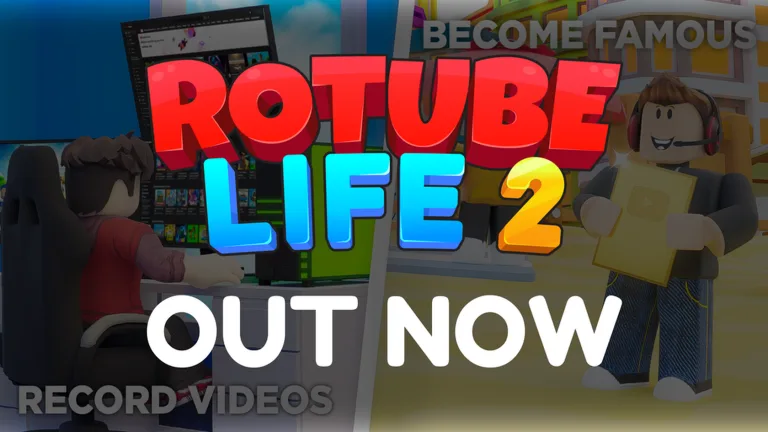
YouTube Life!
YouTube Life! is a Roblox incremental simulator about growing as a content creator, recording videos, editing them, publishing them, and turning views into money for better gear, housing upgrades, and faster production. It works as a layered creator-career fantasy, and its strongest hook is the loop between videos, subscribers, upgrades, and scale jumps.
YouTube Life! works because it understands the fantasy it is selling: going from a tiny channel to a machine of views, subscribers, and bigger and bigger upgrades. The game turns that creator dream into a readable incremental simulator with clear loops and audience milestones that keep players focused on the next jump.
Part of the strength of the experience is how everything feeds that goal. Recording, editing, and uploading generate money; money improves the setup; the setup speeds up the next video; and the house, chests, and awards reinforce the feeling that your account is becoming a larger operation. Even as a click-and-scale simulator, it stays engaging because the theme fits the format so well.
If you enjoy creator sims, cumulative progression, and absurd subscriber targets, YouTube Life! delivers a direct and effective package. It is not trying to overcomplicate the loop. It is trying to make every upgrade feel like one more step toward the most exaggerated version possible of being a Roblox YouTuber.
920.2K
Favorites
498.1K
Upvotes
29.2K
Downvotes
How to play YouTube Life!
How the game works
YouTube Life! revolves around recording content on your computer, editing it, and uploading it to earn views, subscribers, and money. You then use that income to improve your setup, unlock better production flow, open chests, and push the channel toward higher and higher audience milestones.
What to do first
- Finish the tutorial early because it teaches the base loop and already gives you the first meaningful progression badge.
- Prioritize upgrades that improve earnings consistency per video before spending blindly on decoration. Early on, production tempo matters more than visual luxury.
- Look at what is actually slowing your account down: weak gear, not enough money for upgrades, or missing chests and side boosts. The game feels better once you identify the real bottleneck.
- Use subscriber milestones as your clearest progress markers. The badges make it obvious that the fantasy is about climbing from nothing to ridiculous audience numbers.
The best way to play is to treat every record-and-upload cycle as a scale step. Players who think in terms of accumulated growth get much more out of it than players who click without planning the next upgrade.
Codes & Tips of YouTube Life!
Code already highlighted for the game
A recent public description of the game highlighted the code 1MYoutubers with gems and a video boost as rewards. In an incremental simulator, that kind of push is worth testing early because it can speed up the first account layers a lot.
Tips for YouTube Life!
Tips that actually help
- A good upgrade is the one that shortens your next jump, not just the one that looks impressive. In a creator sim, cycle efficiency matters more than cosmetic flair too early.
- If the game offers multiple spending paths, stay focused on what improves views, subscribers, or production speed before spreading resources too thin.
- Opening chests and chasing side boosts helps, but the core of the account is still the video loop. Do not abandon the base engine for minor side bonuses.
- When a new subscriber milestone feels too far away, review your whole setup. In incrementals, old tools are often what quietly hold everything else back.
Curiosities about YouTube Life!
YouTube Life! structures its fantasy around huge subscriber milestones, and that is obvious in badges ranging from 100K to billions of subscribers. That exaggerated scale is part of the charm because it turns the routine of making videos into a race for increasingly absurd numbers.
Another interesting detail is the blend of creator simulator and staged personal life. The game does not stop at the channel itself; it also opens space for apartments, decoration, awards, and extras that make the career feel like a full lifestyle inside Roblox.
Progress & Economy of YouTube Life!
The economy of YouTube Life! runs on converting videos into money, money into upgrades, and upgrades into faster growth for views and subscribers. That cycle is the backbone of the account, because every setup improvement reduces friction and pushes the next batch of content to a higher return level.
Gems, boosts, chests, and side resources act as accelerators, not replacements for the main loop. In a creator simulator, the key is not only earning more, but reinvesting well enough that each new video performs better than the last one.
Useful links for YouTube Life!
Images
Badges
Badges
Getting Started
Complete the tutorial
 Badges
100 Thousand Subscribers
Reach 100K subscribers.
Badges
100 Thousand Subscribers
Reach 100K subscribers.
 Badges
1 Million Subscribers
Reach 1M subscribers.
Badges
1 Million Subscribers
Reach 1M subscribers.
 Badges
10 Million Subscribers
Reach 10M subscribers.
Badges
10 Million Subscribers
Reach 10M subscribers.
 Badges
100 Million Subscribers
Reach 100M subscribers.
Badges
100 Million Subscribers
Reach 100M subscribers.
 Badges
500 Million Subscribers
Reach 500M subscribers.
Badges
500 Million Subscribers
Reach 500M subscribers.
 Badges
1 Billion Subscribers
Reach 1B subscribers.
Badges
1 Billion Subscribers
Reach 1B subscribers.
 Badges
5 Billion Subscribers
Reach 5B subscribers.
Badges
5 Billion Subscribers
Reach 5B subscribers.
 Badges
10 Billion Subscribers
Reach 10B subscribers.
Badges
10 Billion Subscribers
Reach 10B subscribers.
 Badges
Opened one chest
Open 1 chest.
Badges
Opened one chest
Open 1 chest.
Related posts


